The Top 10 Graphic Design Sites for Social Media Content
Whether you are a webmaster or a graphic designer, you need to make sure your site stands out. Here are the top ten design sites for social media content.

Table of Contents
- 1. Leverage Video Content Marketing
- 2. Boost Local Business Rankings with SEO and Online Presence
- 3. Optimize Local Listings with Up-to-date Information
- 4. Create Community-Centric Content
- 5. Build and Engage in Strategic Partnerships
- 6. Leverage Client Advocacy
- 7. Make Informed Decisions With Data
- 8. Boost Your Clinic's Visibility and Engagement with Effective Local Marketing Solution
Both business owners and developers must have some design and content creation skills. However, to even ease the tension for them further, there're online tools they can use to save them time and make more profit. Are you using one of them?
Canva
Canva is an online graphic design tool that can be used for social media content. Suppose you didn’t know that Canva has many beautiful templates ranging from business card infographics to web images and blog posts. It allows users to edit their photos, but it adds easy-to-edit effects to them as well.
Pixlr
Pixlr is a browser-based tool that you can use to create both photos and graphics for social media content. It is an alternative to Adobe Photoshop, containing various photo editing features such as removing red-edesigye, cropping images, and even applying filters to make your images beautiful. In addition, it allows users to add text to pictures.
Snappa
Snappa is another of the popular tools among designers and developers to create graphics for social media content. In addition, Snappa also supports various features, such as helping people focus on making high-quality images by providing a huge stock of more than one million images.

Venngage
Venngage is a data visualization tool that can create professional infographics. This tool is for those who want to create a more engaging type of social platform content. It also supports multiple features such as an image editor and even shapes to add to your infographic.
Visme
Building an effective business website requires having valuable content and images to help you reach out to your target audience. Visme is among the top tools that are well-known to be used for creating infographics, presentation slideshows, and eBooks. With Visme, you can communicate with your audience quickly and professionally.
GIMP
If you want to have more control over the graphic design process, GIMP would be the best choice. It helps users edit images with various features. The best thing about GIMP is that it can be installed and used on any computer, tablet, or mobile phone. This tool is open-source and free to use. GIMP might not be widespread in some places yet, but you'll appreciate the plethora of features it comes with.
Canva for HootSuite
Using Canva for HootSuite, you can build graphic design skills in no time at all. This tool supports various features such as creating social media images and even saving your design to use in the future. In addition, it also helps you add text and choose from a variety of fonts for free to create professional-looking graphics. When starting, it's okay to use the accessible version of Canva for HootSuite as you get familiar with it.
Adobe Creative Cloud Express
Adobe Creative Cloud Express can be installed on both Windows and Mac. It is a complete suite containing various tools such as Adobe Photoshop, Illustrator, InDesign, and many others that you need to create high-quality graphic design. In addition, this tool also offers learning resources for beginners to make it easier for them to learn the design process. If you have someone taking care of the content on your behalf, be sure to advise them to try Adobe Creative Cloud Express.
Desygner
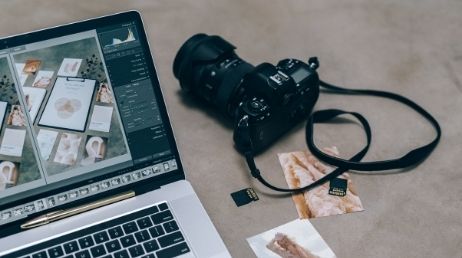
Desygner is a web-based tool that enables users to create various graphics for social media content. You can create infographics with this tool and diagrams, charts, and many others. It also supports several features such as shapes and clipart images, among other things, to help you save time and take your graphic design skills to the next level.
DrawPlus
DrawPlus is a graphic design tool that provides powerful features such as vector-based drawing and even photo editing to help users create quality graphics for media content. In addition, this tool also supports many features such as shapes, layers, and others. This means you have the luxury of choosing a wide range of ways to present your visuals on social media.
Conclusion
In the end, all the tools listed above are among the best design sites to create images for social media content. Read more top 10 best tools here. If you check the websites, you'll notice that they share many things in common. However, they do have some features that make them unique. As a graphic designer, you can use free tools to enhance the performance of your business. It's also possible to use the same tools to create visuals to help online visitors understand your content.




Start Growing Your Dental Practice with SEO
Take the first step toward transforming your marketing. Whether you’re looking to boost engagement, improve your online presence, or grow your business, our team at Vix Media Group is here to help.
Let’s craft a strategy tailored to your goals.